
How to Check for Duplicate Ingredients in Your Supplements
A multivitamin, an immune formula, and a mineral supplement can all add to the same nutrient total. Here's how to find overlapping ingredients, add up what you actually take, and bring the numbers to your doctor.
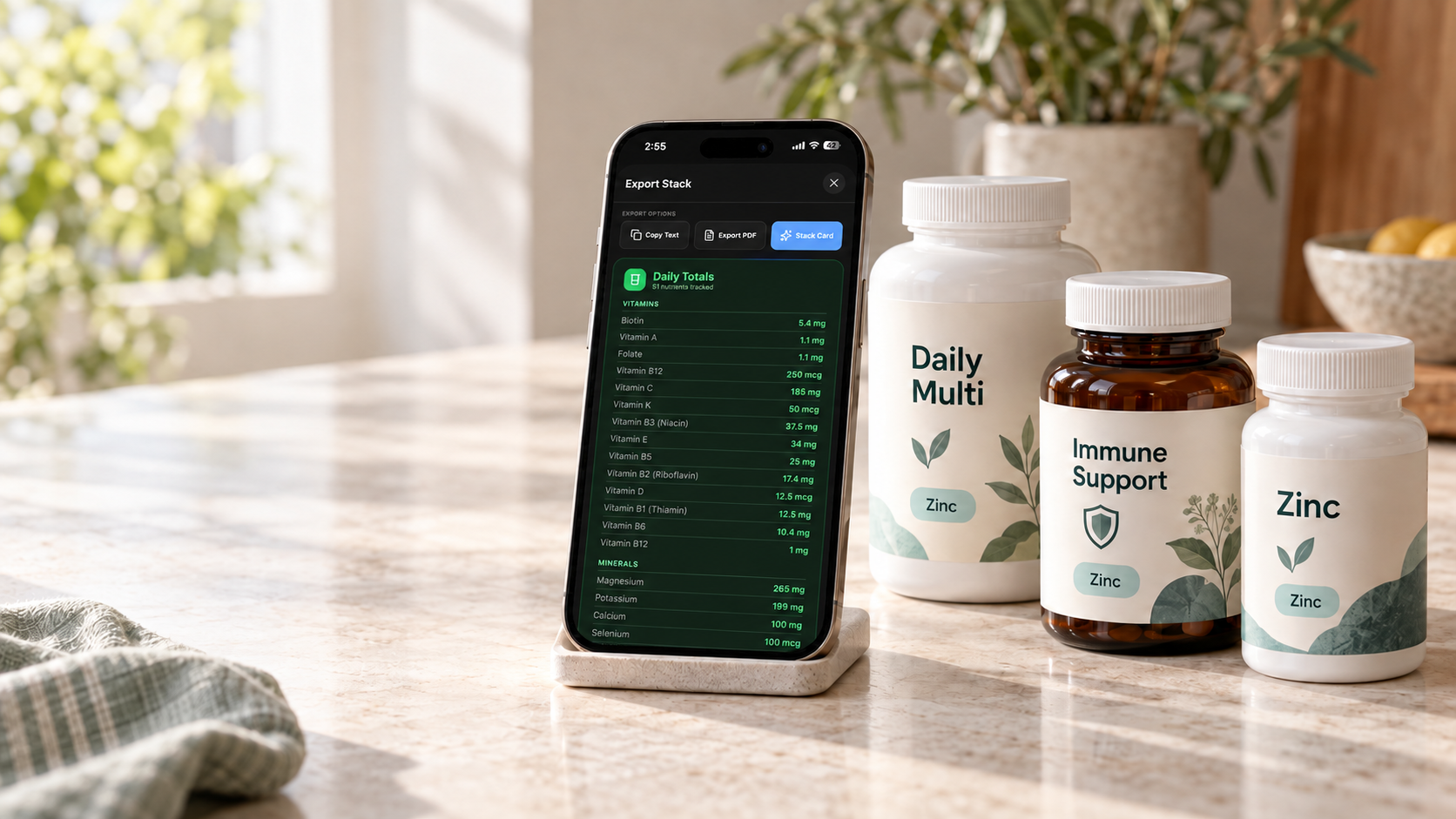
To check for overlapping supplement ingredients, start with the products and servings you actually take. In StackIQ, you can ask the AI chat to review your existing stack for overlap and compare your combined amounts with recommended intakes and established upper limits. You can also export nutrient totals and a breakdown of each supplement to share with your doctor.
You might think of your routine as a multivitamin, an immune-support formula, and a mineral supplement. But those three products can contribute to the same nutrient total. Looking at the bottles together makes that easier to see.
In this guide:
- What is supplement ingredient overlap?
- Ask StackIQ's AI about your stack
- Export your nutrient totals for your doctor
- Check your routine manually
- Example: one zinc total from three products
- Get your stack ready for an AI review
- What an overlap check cannot tell you
- FAQs
What is supplement ingredient overlap?
Ingredient overlap happens when two or more products contain the same ingredient. Different product names or intended uses do not necessarily mean different ingredients.
Zinc is one example: the NIH Office of Dietary Supplements notes that it appears in almost all multivitamin/mineral supplements and is also sold alone or combined with other ingredients.
Finding a duplicate is a reason to review the combined amount. It does not, by itself, establish whether your routine is appropriate for you.
The simplest way: ask StackIQ's AI about your stack
StackIQ's AI chat has contextual information about the supplements in your stack. Once you have added your products and checked their serving sizes and amounts, you can ask a question about your existing routine without typing out every supplement again.
AI chat is included in the free plan with a daily message limit; StackIQ Pro makes it unlimited. Open AI chat and ask:
"Tell me where I have overlapping supplement ingredients and whether my total intake exceeds any recommended amounts or established upper limits."
You can follow up with:
- "Which supplements are contributing to that total?"
- "How much zinc am I getting across my whole stack?"
- "Which recommended intake or upper limit are you using?"
- "What should I discuss with my doctor?"
This gives you a conversational way to explore your ingredient totals and understand which products contribute to them.
Recommended daily intakes and upper intake limits have different purposes. Exceeding a recommended intake does not automatically mean an amount is unsafe. Ask the AI to distinguish the two and explain the reference it is using. Its answers are educational and should be reviewed with a qualified professional when making health decisions.
Export your nutrient totals to share with your doctor
StackIQ also lets you export your supplement stack, including nutrient totals across the whole stack and a breakdown of each supplement.
That gives your doctor a view of both the combined amounts and the individual products contributing to them. Instead of trying to remember every bottle during an appointment, you can bring your exported stack and discuss specific questions:
- Which ingredients overlap across my products?
- Are these combined amounts appropriate for me?
- Does each supplement still have a clear purpose?
- Are there concerns involving my medications or health history?
Before sharing, make sure your products, serving amounts, and schedule are current. The export reflects the information in your stack.
How to check your supplement routine manually
- Make a complete list. Include the products you take regularly and occasionally. Record the product name, serving size, amount you take, and frequency. The NIH recommends keeping a record of supplements and medicines to share with your healthcare providers.
- Read the Supplement Facts panel. Record each active ingredient and its amount per serving. Check the serving size carefully: one serving might mean two capsules or several gummies.
- Adjust for what you actually take. Multiply the amount per serving by the servings taken that day. For a hypothetical product containing 10 mg of an ingredient per two-capsule serving, one capsule contributes 5 mg.
- Group matching ingredients and add the amounts. Keep units consistent. Milligrams (mg) and micrograms (mcg) are different units; 1 mg equals 1,000 mcg. If forms or units are unfamiliar, ask a pharmacist to help compare them.
Use this calculation for each product:
Amount per serving × servings taken = that product's contribution
Then add the contributions from products containing the same ingredient.
Example: three products contributing to one zinc total
This is an illustrative calculation using hypothetical labels, not a tested product combination or a recommended routine.
| Hypothetical product | Zinc per serving | Servings taken that day | Zinc contribution |
|---|---|---|---|
| Multivitamin | 11 mg | 1 | 11 mg |
| Immune-support formula | 15 mg | 1 | 15 mg |
| Standalone zinc supplement | 15 mg | 1 | 15 mg |
| Combined supplement total | 41 mg |
For adults aged 19 and older, the U.S. tolerable upper intake level for zinc is 40 mg per day from all sources, including food, beverages, supplements, and medications. This example exceeds that amount before counting food. These limits do not apply to zinc prescribed for medical reasons under a doctor's supervision. See the NIH zinc fact sheet.
An upper limit is not a daily intake goal. If your routine raises questions, bring the labels and totals to your pharmacist or clinician before changing a medically directed regimen.
How to get your stack ready for an AI review
A useful AI conversation starts with an accurate supplement list:
- Add your products. Use StackIQ's barcode or Supplement Facts label scanner, search by name, or enter a product manually.
- Verify each entry. Compare the captured ingredients, amounts, units, and serving size with your bottle. Correct any scanning errors before saving.
- Set your servings and schedule. Enter how much you take and when.
- Ask about your stack. Use AI chat to explore overlapping ingredients, combined amounts, and questions to raise with your doctor.
StackIQ is available for iPhone and Android. Its dosage tracker displays ingredient totals and overlap, and AI chat lets you ask questions about your stack: limited on the free plan, unlimited with StackIQ Pro. The app also supports reminders, daily dose logging, and wellness check-ins.
What an ingredient-overlap check cannot tell you
A useful review depends on complete, accurate information.
- Missing amounts remain unknown. A proprietary blend may list ingredients without individual quantities. Neither manual arithmetic nor StackIQ can calculate an exact total from undisclosed amounts.
- Supplement totals do not include your entire diet. StackIQ's totals do not include food. Dietary sources may matter when assessing your intake.
- AI guidance needs context and verification. StackIQ's AI can help compare totals with reference amounts, but its answers can contain errors and cannot establish whether a dose is appropriate for your individual health needs.
Medication interactions are a separate question. StackIQ offers possible supplement–medication interaction flags based on medications you enter. A pharmacist or clinician should review concerns; an absence of flags does not establish that a combination is safe.
FAQs
Is there a free app for checking supplement ingredient overlap? StackIQ includes barcode and label scanning, supplement tracking, dosage and timing tracking, and ingredient totals and overlap detection in its free plan, along with limited AI chat. StackIQ Pro adds AI insights, unlimited AI chat, and advanced analytics. See the current Free and Pro features.
Does taking 100% of the Daily Value mean I have reached the safety limit? No. Daily Value and tolerable upper intake level are different measures. The FDA explains that percent Daily Value shows a serving's contribution to a daily reference amount. It does not determine your personal needs or replace an assessment of appropriate intake.
Should I stop a supplement if it duplicates another product? A duplicate alone does not answer that question. Review the combined amount and the reason you take each product with your healthcare provider, especially when a supplement is part of a treatment plan.
See what your supplements add up to
Add the supplements you actually take, check the serving information, and review your ingredient totals. Ask the AI about overlap and intake limits. Export your stack when you want to bring the details to your doctor.


This article provides educational information, not medical advice. Consult a qualified healthcare professional about supplement choices, doses, and medication interactions.
About this guide
- Written by
- the StackIQ research team
- Published
- October 8, 2026
This guide was drafted with AI assistance from the cited sources and edited by a person before publication. It reflects published product information on the dates stated; features and prices change. Spotted an error? Email a correction · How StackIQ content is made